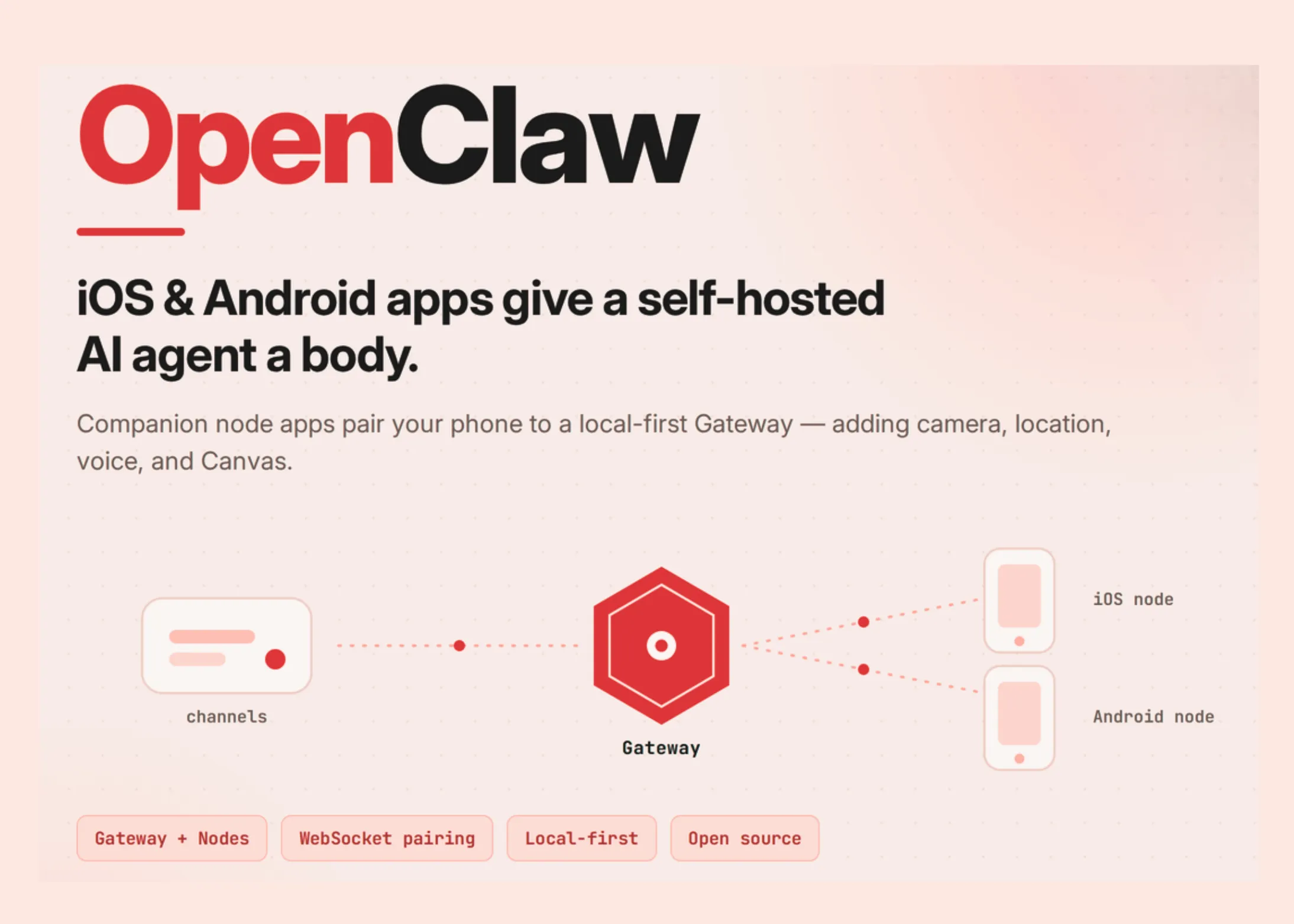
OpenClaw recently released companion apps for iOS and Android. The iOS app is listed as ‘OpenClaw – AI that does things.’ Both apps are free to download. They are not independent chatbots. Each phone becomes a node in the host agent network. The assistant itself runs on a separate Gateway. That separation is the whole design.
The TL;DR
- OpenClaw’s iOS and Android apps are companion nodes, not standalone assistants.
- Gateway runs an agent; phones add camera, location, voice, and canvas.
- Nodes pair over WebSocket on port 18789 and require explicit permission.
- Strict privacy rules don’t apply until you whitelist it.
- A gateway to macOS, Linux, or Windows (WSL2) is required.
What is OpenClaw?
OpenClaw is an open source AI personal assistant/agent. Built by Peter Steinberger with community contributors. This project is independent and not affiliated with Anthropic. Its core is written in TypeScript. The runtime is Node 24 (recommended) or Node 22.19+. The Gateway runs on macOS, Linux, or Windows via WSL2. You talk to it through the chat apps you already use. Supported channels include WhatsApp, Telegram, Discord, Slack, Signal, and iMessage. The agent can browse the web, run shell commands, and read and write files. Works with managed, subscription-backed, gateway, or local models. You bring an API key from your chosen provider. It maintains persistent memory and supports social capabilities and plugins.
How Gate Construction and Locations Work?
Gateway is a single control plane. It manages sessions, routing, channels, tools, and events. You run a single Gateway process on your machine or server. Chat messages always arrive at the Gateway, not the phone. A node is a companion device that connects to that Gateway. Nodes connect over WebSocket on default port 18789. Each node registers with role: "node" during pairing. Nodes display the command area by using node.invoke. Those command families include canvas.*, camera.*, device.*, notifications.*again system.*. The documentation is clear: ‘Nodes are peripheral, not gateways.’ On the local network, applications find the Gateway through mDNS/Bonjour. For remote access, OpenClaw recommends Tailscale with wss:// endpoint.
What Adds Mobile Apps?
The phone gives the agent a body. It provides device-specific hardware for your workflow. The iOS app pairs with a QR code or setup code. It supports chat, real time and talk back mode, and permissions. You can share text, links, and media from iOS to OpenClaw. Options include camera, screen, location, photos, contacts, calendar, and reminders. An Android app is a companion node, not a standalone gateway. It offers broadcast chat replies, image attachments, and full session history. Talk Mode uses ElevenLabs or TTS system. Canvas’ live environment allows an agent to provide dashboards and tools. Android provides permissions one by one. The frontend service keeps the Gateway connection alive.
iOS Node vs Android Node
| Power | iOS – OpenClaw – AI that does things | Android – OpenClaw’ node |
|---|---|---|
| Role | A friend node | A friend node |
| Pairing | QR code or setup code | Setup code or host/port |
| Discuss | Chat on iPhone | Broadcast responses, image attachments, full session history |
| A word | Real time and talkback mode | Speech mode (ElevenLabs or system TTS) |
| The canvas | Canvas area | Canvas live area |
| Device capabilities | Camera, screen, location, photos, contacts, calendar, reminders | Camera, photos, screenshot, location, notifications, contacts, calendar, SMS, motion sensors |
| Action permissions | Updated from iPhone | Hosted on Gateway |
| Data collection | Nothing Announced (App Store) | Nothing Announced (Google Play) |
| A requirement | iOS 18.0+ and Gateway enabled | Gateway that works on macOS, Linux, or Windows (WSL2) |
Use Cases with examples
Consider the collection of field data at the job site. The agent uses iOS camera capture to capture scenarios. Location tags each photo with GPS coordinates. Consider a reminder of context. The agent starts the job when you arrive at the location. Consider the incoming notification on Android. The agent reads it and writes a response. Consider a live dashboard. The agent pushes the Canvas area to your screen. Consider using handsfree. Talk Mode holds an ongoing voice conversation. One caveat applies to camera and screen capture. They need an action plan beforehand. The callbacks return an error.
Phone Pairing: Less Travel
First, run the Gateway on a supported host.
# On the Gateway host (macOS, Linux, or Windows via WSL2)
npm install -g openclaw@latest
openclaw onboard --install-daemon
Next, open the app and select the Gateway found. Or enter the host and port manually. The app connects with role: "node" and send a device pairing request. Authorize it from the Gateway CLI.
openclaw devices list
openclaw devices approve
openclaw nodes status        # confirm the node is paired and connected
Privacy-heavy orders don’t stay in place by default. Examples include camera.snap, camera.clipagain screen.record. You choose to log in clearly gateway.nodes.allowCommands in your setting.
// ~/.openclaw/openclaw.json
{
  gateway: {
    nodes: {
      allowCommands: ["camera.snap", "screen.record"],
    },
  },
}
Denial list (gateway.nodes.denyCommands) always wins the whitelist.
Security and Permissions
The pairing confirmation is stored on the device. All node connections require authorization before they reach the Gateway. A device pairing record is a long-lasting role contract. Rotating tokens cannot upgrade a node to a different role. Camera and screen capture are gated and only work in front. Clear text ws:// limited to LAN as well .local they don’t host. Community or Tailscale endpoints require originality wss:// TLS endpoint.
Interactive Descriptor
Interactive Descriptor
Explore the Gateway-and-Nodes architecture, simulate conversational command flows on the phone’s hardware, and navigate device pairing — all from your browser.
Graphical simulation · runs locally · no real Gateway is connected
① Property map
② Command flow simulator
③ Pairing to move
Gateway is a single source of truth
Click on any blog to see its role. Messages always arrive at the Gateway — they never go directly to the phone.
Chat apps + plugins
⬡ The gate
times · route · channels · events
It deals with Gateway drives
Agent of OpenClaw
tools · memory
CLI/Web UI
control plane
iOS/Android nodes
role: “node”
⬡ The gate
One control plane. Runs on macOS, Linux, or Windows (WSL2). It manages sessions, routing, channels, tools, and events. A single Gateway process serves all channels and all nodes simultaneously.
Simulate the command that accesses your phone’s hardware
Choose a station and a job, and run it. Watch the request flow through the Gateway to a destination node.invoke command location.
Telegram
Disagreement
Take a picture on the shelf in front of me
Where am I now?
Show live dashboard on my phone
Read my latest notice and write a reply
# Select the options above and press Run.
active hop
finished
requires prior / entry
Pair the phone as a node
Nodes connect via WebSocket port 18789 and requires express authorization. Press play to go through the handshake.
1
Start the Gateway on the host
Run openclaw onboard --install-daemon on macOS, Linux, or Windows (WSL2).
2
The application finds the Gateway
On the same Wi-Fi, the app finds it via mDNS/Bonjour. Remote use a wss:// Tailscale end point.
3
The phone sends a pairing request
A node connects to a WebSocket via role: "node" and device ownership.
4
User authenticates to Gateway
openclaw devices list → openclaw devices approve
5
Node is paired and connected
openclaw nodes status exhibitions paired · connected. Hard privacy commands remain disabled until they are whitelisted.
Powers and Limitations
Power:
- The original design keeps keys, configurations, and data on your device.
- One Gateway serves multiple channels and multiple nodes simultaneously.
- Phones add device hardware: camera, location, voice, and canvas.
- Both store listings report no data collection.
Limitations:
- Mobile applications need an active Gateway to do anything.
- Setup includes WebSocket pairing, mDNS, and sometimes Tailscale.
- Camera and screen capture require an app first.
- The Android list shows 10+ downloads, an early stage signal.
- Full system access is extensive and requires careful whitelisting.
Check it out Android as well as iOS app. Also, feel free to follow us Twitter and don’t forget to join our 150k+ML SubReddit and Subscribe to Our newspaper. Wait! are you on telegram? now you can join us on telegram too.
Need to work with us on developing your GitHub Repo OR Hug Face Page OR Product Release OR Webinar etc.? contact us