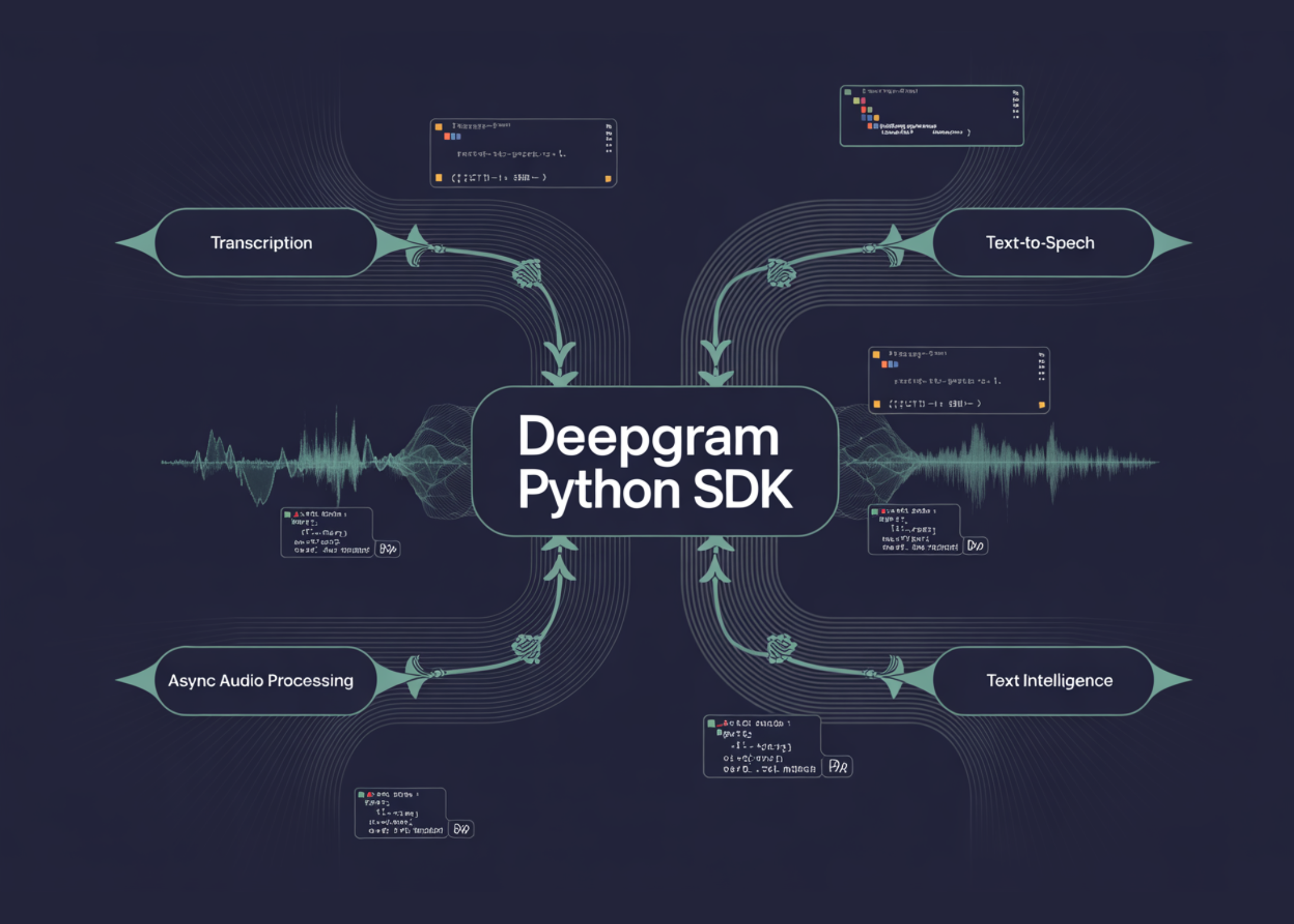
In this tutorial, we build an advanced workflow with Deepgram Python SDK and explore how modern voice AI capabilities come together in one Python environment. Set up for authentication, we integrate both native and interactive Deepgram clients, and work directly with real audio data to understand how the SDK handles transcription, speech production, and text analysis in practice. We record audio from both URL and local file, check confidence scores, word-level timestamps, speaker dialing, paragraph formatting, and AI-generated summaries, and extend the pipeline for sync processing to make it faster, more scalable. We also generate multi-voice TTS speech, analyze text for sentiment, topics, and intent, and test advanced transcription controls such as keyword searching, substitution, augmentation, raw response access, and systematic error handling. Through this process, we created an efficient, end-to-end voice AI workflow for Deepgram that is technically detailed and easy to adapt to real-world applications.
!pip install deepgram-sdk httpx --quiet


import os, asyncio, textwrap, urllib.request
from getpass import getpass
from deepgram import DeepgramClient, AsyncDeepgramClient
from deepgram.core.api_error import ApiError
from IPython.display import Audio, display


DEEPGRAM_API_KEY = getpass("🔑 Enter your Deepgram API key: ")
os.environ["DEEPGRAM_API_KEY"] = DEEPGRAM_API_KEY


client       = DeepgramClient(api_key=DEEPGRAM_API_KEY)
async_client = AsyncDeepgramClient(api_key=DEEPGRAM_API_KEY)


AUDIO_URL  = "
AUDIO_PATH = "/tmp/sample.wav"
urllib.request.urlretrieve(AUDIO_URL, AUDIO_PATH)


def read_audio(path=AUDIO_PATH):
   with open(path, "rb") as f:
       return f.read()


def _get(obj, key, default=None):
   """Get a field from either a dict or an object — v6 returns both."""
   if isinstance(obj, dict):
       return obj.get(key, default)
   return getattr(obj, key, default)


def get_model_name(meta):
   mi = _get(meta, "model_info")
   if mi is None:       return "n/a"
   return _get(mi, "name", "n/a")


def tts_to_bytes(response) -> bytes:
   """v6 generate() returns a generator of chunks or an object with .stream."""
   if hasattr(response, "stream"):
       return response.stream.getvalue()
   return b"".join(chunk for chunk in response if isinstance(chunk, bytes))


def save_tts(response, path: str) -> str:
   with open(path, "wb") as f:
       f.write(tts_to_bytes(response))
   return path


print("✅ Deepgram client ready | sample audio downloaded")


print("n" + "="*60)
print("📼 SECTION 2: Pre-Recorded Transcription from URL")
print("="*60)


response = client.listen.v1.media.transcribe_url(
   url=AUDIO_URL,
   model="nova-3",
   smart_format=True,
   diarize=True,
   language="en",
   utterances=True,
   filler_words=True,
)


transcript = response.results.channels[0].alternatives[0].transcript
print(f"n📝 Full Transcript:n{textwrap.fill(transcript, 80)}")


confidence = response.results.channels[0].alternatives[0].confidence
print(f"n🎯 Confidence: {confidence:.2%}")


words = response.results.channels[0].alternatives[0].words
print(f"n🔤 First 5 words with timing:")
for w in words[:5]:
   print(f"   '{w.word}'  start={w.start:.2f}s  end={w.end:.2f}s  conf={w.confidence:.2f}")


print(f"n👥 Speaker Diarization (first 5 words):")
for w in words[:5]:
   speaker = getattr(w, "speaker", None)
   if speaker is not None:
       print(f"   Speaker {int(speaker)}: '{w.word}'")


meta = response.metadata
print(f"n📊 Metadata: duration={meta.duration:.2f}s  channels={int(meta.channels)}  model={get_model_name(meta)}")
We install the Deepgram SDK and its dependencies, then securely set up authentication using our API key. We launch both interactive and interactive Deepgram clients, download a sample audio file, and describe assistant functions to facilitate working with mixed-reaction objects, audio bytes, metadata modeling, and streamed TTS effects. We then use our first pre-recorded transcript from the URL and examine the transcript, confidence score, word-level timestamps, speaker dialing, and metadata to understand the structure and richness of the response.
print("n" + "="*60)
print("📂 SECTION 3: Pre-Recorded Transcription from File")
print("="*60)


file_response = client.listen.v1.media.transcribe_file(
   request=read_audio(),
   model="nova-3",
   smart_format=True,
   diarize=True,
   paragraphs=True,
   summarize="v2",
)


alt = file_response.results.channels[0].alternatives[0]
paragraphs = getattr(alt, "paragraphs", None)
if paragraphs and _get(paragraphs, "paragraphs"):
   print("n📄 Paragraph-Formatted Transcript:")
   for para in _get(paragraphs, "paragraphs")[:2]:
       sentences = " ".join(_get(s, "text", "") for s in (_get(para, "sentences") or []))
       print(f"  [Speaker {int(_get(para,'speaker',0))}, "
             f"{_get(para,'start',0):.1f}s–{_get(para,'end',0):.1f}s] {sentences[:120]}...")
else:
   print(f"n📝 Transcript: {alt.transcript[:200]}...")


if getattr(file_response.results, "summary", None):
   short = _get(file_response.results.summary, "short", "")
   if short:
       print(f"n📌 AI Summary: {short}")


print(f"n🎯 Confidence: {alt.confidence:.2%}")
print(f"🔤 Word count : {len(alt.words)}")


print("n" + "="*60)
print("⚡ SECTION 4: Async Parallel Transcription")
print("="*60)


async def transcribe_async():
   audio_bytes = read_audio()


   async def from_url(label):
       r = await async_client.listen.v1.media.transcribe_url(
           url=AUDIO_URL, model="nova-3", smart_format=True,
       )
       print(f"  [{label}] {r.results.channels[0].alternatives[0].transcript[:100]}...")


   async def from_file(label):
       r = await async_client.listen.v1.media.transcribe_file(
           request=audio_bytes, model="nova-3", smart_format=True,
       )
       print(f"  [{label}] {r.results.channels[0].alternatives[0].transcript[:100]}...")


   await asyncio.gather(from_url("From URL"), from_file("From File"))


await transcribe_async()
We move away from URL-based file-based transcription by sending raw audio bytes directly to the Deepgram API, enabling rich options like categories and summarization. We examine the returned role structure, speaker classification, summary output, confidence score, and word count to see how the SDK supports more readable and analysis-friendly results. We also introduce parallel processing and use URL-based and file-based transcription in parallel, which helps us understand how to build faster, more scalable AI voice pipelines.
print("n" + "="*60)
print("🔊 SECTION 5: Text-to-Speech")
print("="*60)


sample_text = (
   "Welcome to the Deepgram advanced tutorial. "
   "This SDK lets you transcribe audio, generate speech, "
   "and analyse text — all with a simple Python interface."
)


tts_path = save_tts(
   client.speak.v1.audio.generate(text=sample_text, model="aura-2-asteria-en"),
   "/tmp/tts_output.mp3",
)
size_kb = os.path.getsize(tts_path) / 1024
print(f"✅ TTS audio saved → {tts_path}  ({size_kb:.1f} KB)")
display(Audio(tts_path))


print("n" + "="*60)
print("🎭 SECTION 6: Multiple TTS Voices Comparison")
print("="*60)


voices = {
   "aura-2-asteria-en": "Asteria (female, warm)",
   "aura-2-orion-en":   "Orion (male, deep)",
   "aura-2-luna-en":    "Luna (female, bright)",
}
for model_id, label in voices.items():
   try:
       path = save_tts(
           client.speak.v1.audio.generate(text="Hello! I am a Deepgram voice model.", model=model_id),
           f"/tmp/tts_{model_id}.mp3",
       )
       print(f"  ✅ {label}")
       display(Audio(path))
   except Exception as e:
       print(f"  ⚠️  {label} — {e}")


print("n" + "="*60)
print("🧠 SECTION 7: Text Intelligence — Sentiment, Topics, Intents")
print("="*60)


review_text = (
   "I absolutely love this product! It arrived quickly, the quality is "
   "outstanding, and customer support was incredibly helpful when I had "
   "a question. I would definitely recommend it to anyone looking for "
   "a reliable solution. Five stars!"
)


read_response = client.read.v1.text.analyze(
   request={"text": review_text},
   language="en",
   sentiment=True,
   topics=True,
   intents=True,
   summarize=True,
)
results = read_response.results
We focus on generating speech by converting text to audio using Deepgram’s text-to-speech API and saving the resulting audio as an MP3 file. We then compared multiple TTS voices to understand how different voice models behave and how easily we can switch between them while maintaining the same code pattern. After that, we start working with the Read API by passing the review text to Deepgram’s text intelligence system to analyze the language beyond simple transcription.
if getattr(results, "sentiments", None):
   overall = results.sentiments.average
   print(f"😊 Sentiment: {_get(overall,'sentiment','?').upper()}  "
         f"(score={_get(overall,'sentiment_score',0):.3f})")
   for seg in (_get(results.sentiments, "segments") or [])[:2]:
       print(f"   • "{_get(seg,'text','')[:60]}"  → {_get(seg,'sentiment','?')}")


if getattr(results, "topics", None):
   print(f"n🏷️  Topics Detected:")
   for seg in (_get(results.topics, "segments") or [])[:3]:
       for t in (_get(seg, "topics") or []):
           print(f"   • {_get(t,'topic','?')} (conf={_get(t,'confidence_score',0):.2f})")


if getattr(results, "intents", None):
   print(f"n🎯 Intents Detected:")
   for seg in (_get(results.intents, "segments") or [])[:3]:
       for intent in (_get(seg, "intents") or []):
           print(f"   • {_get(intent,'intent','?')} (conf={_get(intent,'confidence_score',0):.2f})")


if getattr(results, "summary", None):
   text = _get(results.summary, "text", "")
   if text:
       print(f"n📌 Summary: {text}")


print("n" + "="*60)
print("⚙️  SECTION 8: Advanced Options — Search, Replace, Boost")
print("="*60)


search_response = client.listen.v1.media.transcribe_url(
   url=AUDIO_URL,
   model="nova-3",
   smart_format=True,
   punctuate=True,
   search=["spacewalk", "mission", "astronaut"],
   replace=[{"find": "um", "replace": "[hesitation]"}],
   keyterm=["spacewalk", "NASA"],
)


ch = search_response.results.channels[0]
if getattr(ch, "search", None):
   print("🔍 Keyword Search Hits:")
   for hit_group in ch.search:
       hits = _get(hit_group, "hits") or []
       print(f"   '{_get(hit_group,'query','?')}': {len(hits)} hit(s)")
       for h in hits[:2]:
           print(f"      at {_get(h,'start',0):.2f}s–{_get(h,'end',0):.2f}s  "
                 f"conf={_get(h,'confidence',0):.2f}")


print(f"n📝 Transcript:n{textwrap.fill(ch.alternatives[0].transcript, 80)}")


print("n" + "="*60)
print("🔩 SECTION 9: Raw HTTP Response Access")
print("="*60)


raw = client.listen.v1.media.with_raw_response.transcribe_url(
   url=AUDIO_URL, model="nova-3",
)
print(f"Response type  : {type(raw.data).__name__}")
request_id = raw.headers.get("dg-request-id", raw.headers.get("x-dg-request-id", "n/a"))
print(f"Request ID     : {request_id}")
We proceed with text intelligence and examine sentiments, topics, intentions, and summary results from the analyzed text to understand how Deepgram builds high-quality linguistic information. We then explore advanced transcription options, such as search terms, word replacement, and keyterm boosting, to make transcription more targeted and useful for domain-specific applications. Finally, we access the raw HTTP response and request headers, providing a low-level view of API interactions and making debugging and visibility easier.
print("n" + "="*60)
print("🛡️  SECTION 10: Error Handling")
print("="*60)


def safe_transcribe(url: str, model: str = "nova-3"):
   try:
       r = client.listen.v1.media.transcribe_url(
           url=url, model=model,
           request_options={"timeout_in_seconds": 30, "max_retries": 2},
       )
       return r.results.channels[0].alternatives[0].transcript
   except ApiError as e:
       print(f"  ❌ ApiError {e.status_code}: {e.body}")
       return None
   except Exception as e:
       print(f"  ❌ {type(e).__name__}: {e}")
       return None


t = safe_transcribe(AUDIO_URL)
print(f"✅ Valid URL   → '{t[:60]}...'")
t_bad = safe_transcribe("
if t_bad is None:
   print("✅ Invalid URL → error caught gracefully")


print("n" + "="*60)
print("🎉 Tutorial complete! Sections covered:")
for s in [
   "2.  transcribe_url(url=...) + diarization + word timing",
   "3.  transcribe_file(request=bytes) + paragraphs + summarize",
   "4.  Async parallel transcription",
   "5.  Text-to-Speech — generator-safe via save_tts()",
   "6.  Multi-voice TTS comparison",
   "7.  Text Intelligence — sentiment, topics, intents (dict-safe)",
   "8.  Advanced options — keyword search, word replacement, boosting",
   "9.  Raw HTTP response & request ID",
   "10. Error handling with ApiError + retries"
]:
   print(f"  ✅ {s}")
print("="*60)
We create a safe script wrapper that adds timeout and retry controls while gracefully handling API-specific and general exceptions. We test the function with both valid and invalid audio URLs to ensure that the workflow works reliably even when requests fail. We conclude the tutorial by printing a complete summary of all the sections covered, which helps us review the full Deepgram pipeline from transcription and TTS to text intelligence, advanced options, raw responses, and error handling.
In conclusion, we have established a comprehensive and practical understanding of how to use the Deepgram Python SDK for advanced speech and language workflows. We did high-quality transcription and text-to-speech, and learned to extract deep value from audio and text through metadata analysis, summarization, sentiment analysis, topic detection, intent recognition, async implementation, and application-level debugging. This makes the tutorial much more than a basic SDK walkthrough, because we’ve dynamically connected many of the capabilities to an integrated pipeline that shows how production-ready AI voice systems are typically built. Also, we saw how the SDK supports both ease of use and advanced control, allowing us to move from simple examples to rich, robust implementations. Ultimately, we came out with a solid foundation for building transcription tools, speech interfaces, audio intelligence systems, and other real-world applications powered by Deepgram.
Check it out Full Codes here. Also, feel free to follow us Twitter and don’t forget to join our 130k+ ML SubReddit and Subscribe to Our newspaper. Wait! are you on telegram? now you can join us on telegram too.
Need to work with us on developing your GitHub Repo OR Hug Face Page OR Product Release OR Webinar etc.? Connect with us